Animated output
The generated result remains a GIF, so the original motion and repeating loop stay available after the face swap.
ClothesChange AI
Upload an animated GIF up to 70 MB, preserve its original motion and loop, then export up to 30 seconds free or 60 seconds with Credits, without a watermark.
Uploaded files and generated results are automatically deleted after 1 day. Please save your results promptly.
GIF IN, GIF OUT
Upload an animated GIF and a clear face photo. The AI follows the person from frame to frame, replaces the face, and keeps the original loop and movement in the finished GIF.
For a multiple GIF face swap, switch to Multiple Faces and add a separate replacement photo for each visible person. Free use works online without an account, and ClothesChange AI adds no watermark to the finished animation.
GIF FACE SWAP EXAMPLES
Use a reaction, meme, or short loop as the source. A clear face and visible expression give the AI more detail to follow across the animation.
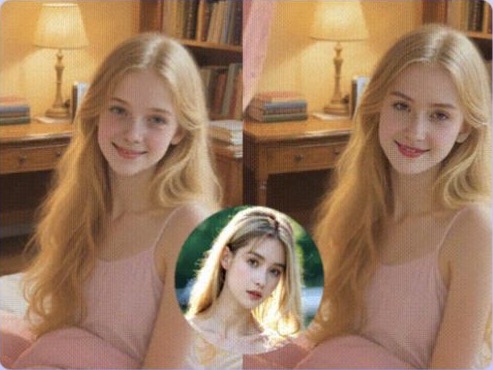
The person changes while the pose, lighting, and background remain recognizable.

Clear expressions give the face tracker useful detail from one frame to the next.
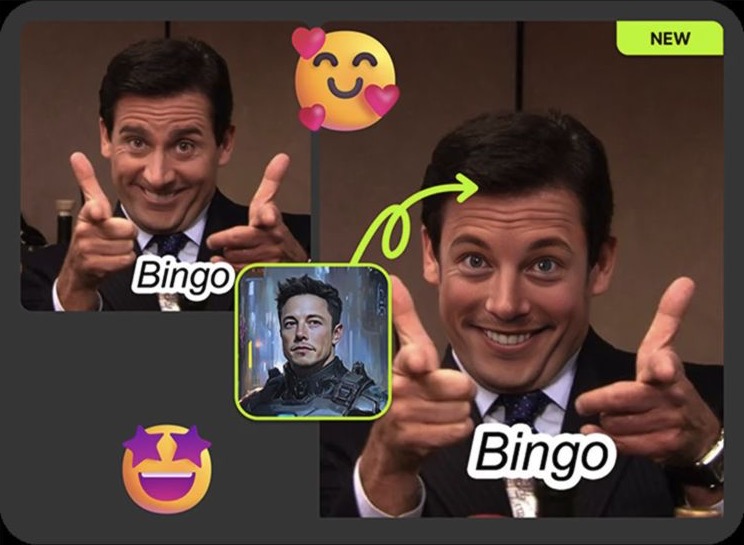
A familiar reaction can become a personalized GIF while keeping the original composition.
THREE SIMPLE STEPS
Choose the animated file, add the new face, and create a GIF you can save and share.
Choose a GIF file up to 70 MB, then preview the animation before processing it.
Upload a sharp JPG, PNG, or WEBP photo. A clear face with a similar angle usually produces a more natural result.
Start the AI GIF face swap, review the animated result, and download it as a GIF without a watermark.
MADE FOR ANIMATED GIFS
The tool handles the GIF as moving media instead of turning it into a still image.
The generated result remains a GIF, so the original motion and repeating loop stay available after the face swap.
AI follows the selected person through the animation to keep the replacement aligned as the head and expression move.
Enable face enhancement when the source is compressed or small and the finished GIF needs clearer facial detail.
QUICK ANIMATED EDITS
A short looping GIF is easy to edit, download, and share in a conversation.
Put a familiar face into a surprised, excited, or dramatic reaction while keeping the original movement.
Turn a looping scene into a custom joke, fandom edit, or NSFW meme by replacing the visible face.
Try a different person or character in a brief animated moment without editing a full video project.
CLEAR GIF LIMITS
GIF limits are separate from the limits used for standard video files.
Upload one animated GIF file in the GIF workspace.
Process an available GIF up to 30 seconds without signing up.
Signed-in users can process a GIF up to 60 seconds with Credits.
Credit cost is based on the GIF duration and whether face enhancement is enabled. A longer video should use the video face swap workspace instead.
BETTER SOURCE, BETTER LOOP
Small animated files can change quickly from frame to frame, so clear source material matters.
Choose a sharp, front-facing face with even lighting and no heavy filter. A similar head angle usually blends more naturally.
GIFs work best when hair, hands, captions, or other objects do not cover the face for most of the loop.
Choose a moment where the face is fully visible and not too small before starting the swap.
GIF FACE SWAP QUESTIONS
Answers about free use, animation, file size, accounts, and downloads.
Yes. You can upload an animated GIF and process up to 30 seconds with the available free option. No account is required for the free run.
Yes. The result is generated as an animated GIF, so it keeps the movement and repeating loop instead of becoming a still image.
Upload one animated GIF up to 70 MB. Free processing supports GIFs up to 30 seconds; with Credits, the maximum GIF duration is 60 seconds.
Yes. The available free GIF face swap starts without an account. Sign-in is needed for purchased Credits and account history.
No. ClothesChange AI does not add its watermark to the completed GIF.
Free creation follows the available quota and the 30-second duration limit. You can download an available result again, but “unlimited” does not mean unlimited free GIF creation.
MORE FACE SWAP TOOLS
Use a focused workspace when the next source is a standard video or a group file.
Upload an animated GIF and a clear face photo, then try an AI GIF face swap online for free.