Free ai bikini generator online -
sexy & hot bikini try-on

Try a new bikini on your own photo, or create an AI swimsuit model from a prompt. Bring a swimsuit reference or start with a demo, then explore the cuts, colors, and prints you have in mind.

Try on a bikini or create an AI swimwear model

Photo to bikini: a new look on your own photo

Picture your beach photo with a red triangle bikini, a floral set, or a simple black two-piece. The AI bikini photo generator lets you explore an outfit change using the person and scene in your uploaded image.

For an AI bikini try-on, describe the look you want or upload bikini references for a specific cut and print. If you're still choosing a style, start with a demo and work from there.
Create AI bikini models from text

Use the AI bikini image generator to build a poolside fashion photo, plan a summer mood board, or sketch out a swimwear shoot before arranging one. Describe an adult model and the scene around them.

Think about the photograph as well as the swimsuit. A full-length studio image shows the whole outfit; a closer crop brings attention to the neckline or fabric. Describe the model, pose, and setting to give your idea a clear direction.

How to make your bikini photo

Start with your photos or an idea, choose the swimwear, and create your image.

01

Choose your starting point

Upload your photos for a virtual bikini try-on. To create a new model image, start with a text prompt and leave the photo area empty.

02

Describe the look or add a reference

Choose “Describe a bikini” for written instructions. Use “Bikini images” to upload your own swimsuit references or pick a look from the demos.

03

Create and save your image

Choose your model and image settings, then check the free-use or credit label before generating. Download your finished bikini photo when you find a look you like.

Choose your bikini cut, color, and fabric

A sexy bikini look starts with a few specific choices: the shape of the top, the rise of the bottoms, and the color or texture that ties them together. Use these details to describe your idea or choose a reference.

String and triangle bikinis

Name the triangle-shaped cups, slim ties, and tie-side bottoms if those are the details you want. Specifying the top and bottoms separately gives you more control than asking for a black bikini alone.

Bandeau and halter tops

Describe a strapless bandeau for a clean neckline, or a halter with ties around the neck. Add a center twist, ring detail, or ribbed fabric to make the design more specific.

High-waisted bikini sets

Say where you want the waistband to sit and describe the leg cut too. High-waisted and high-cut refer to different parts of the bottoms; include both when you want both in the image.

Micro bikini concepts

Specify a minimal cut, opaque fabric, and the placement of the straps or ties. A simple standing pose and plain backdrop make it easier to see the silhouette of an AI micro bikini concept.

Prints, colors, and fabric

Try a solid red set, blue floral print, or metallic bronze finish. For a particular product, use its image as a reference; for a new design, describe the colors, print scale, and surface texture.

Beach and resort outfits

A sarong, wrap, or open shirt can be part of the look. Include those pieces when you want a styled beach outfit. For a bikini-only image, use a reference without a cover-up or make that preference clear in your prompt.

Bikini references to start with

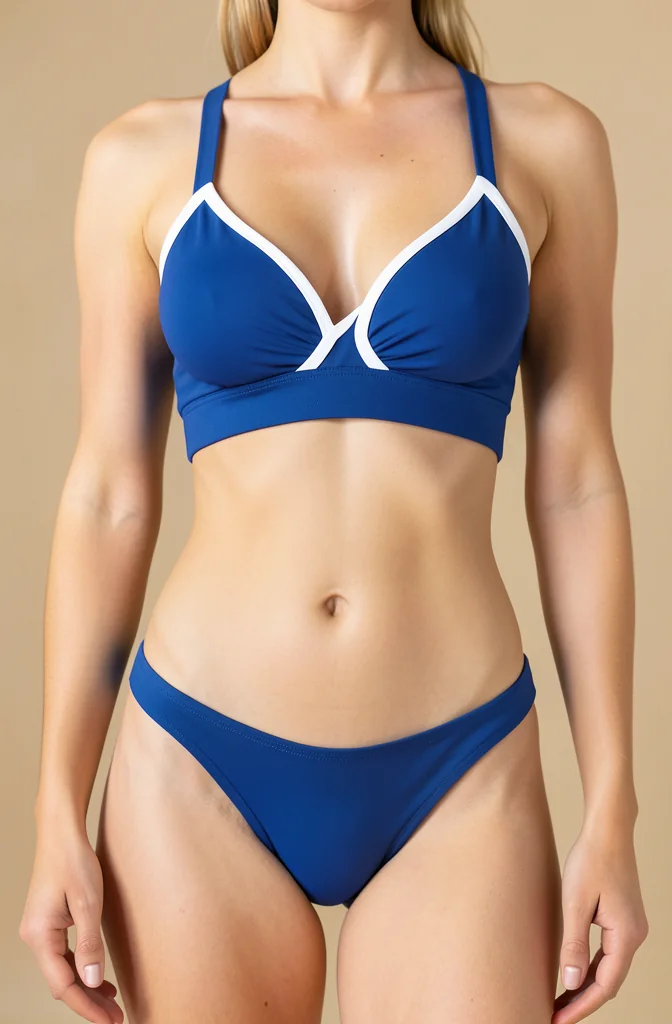
Navy sport bikini with white trim shown as a swimwear reference

Navy sport bikini

A structured navy top with white trim and matching bottoms.

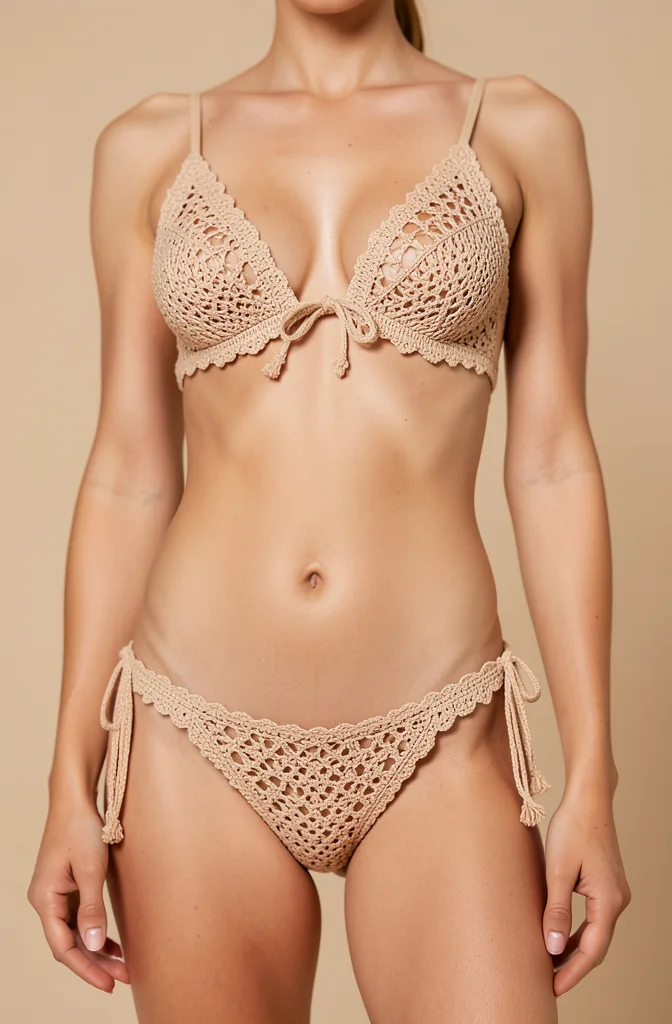
Sand crochet bikini with a front-tie top and tie-side bottoms

Sand crochet bikini

A crochet triangle top with a front tie and matching tie-side bottoms.

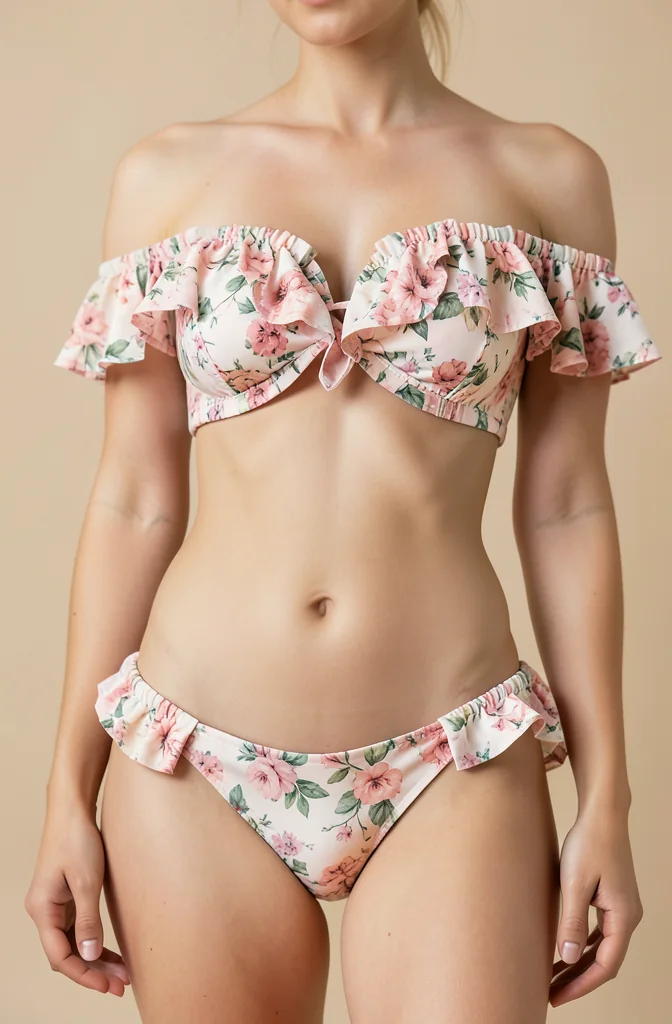
Floral bikini with an off-shoulder ruffle top and matching bottoms

Floral ruffle bikini

An off-shoulder floral top with ruffled sleeves and matching bottoms.

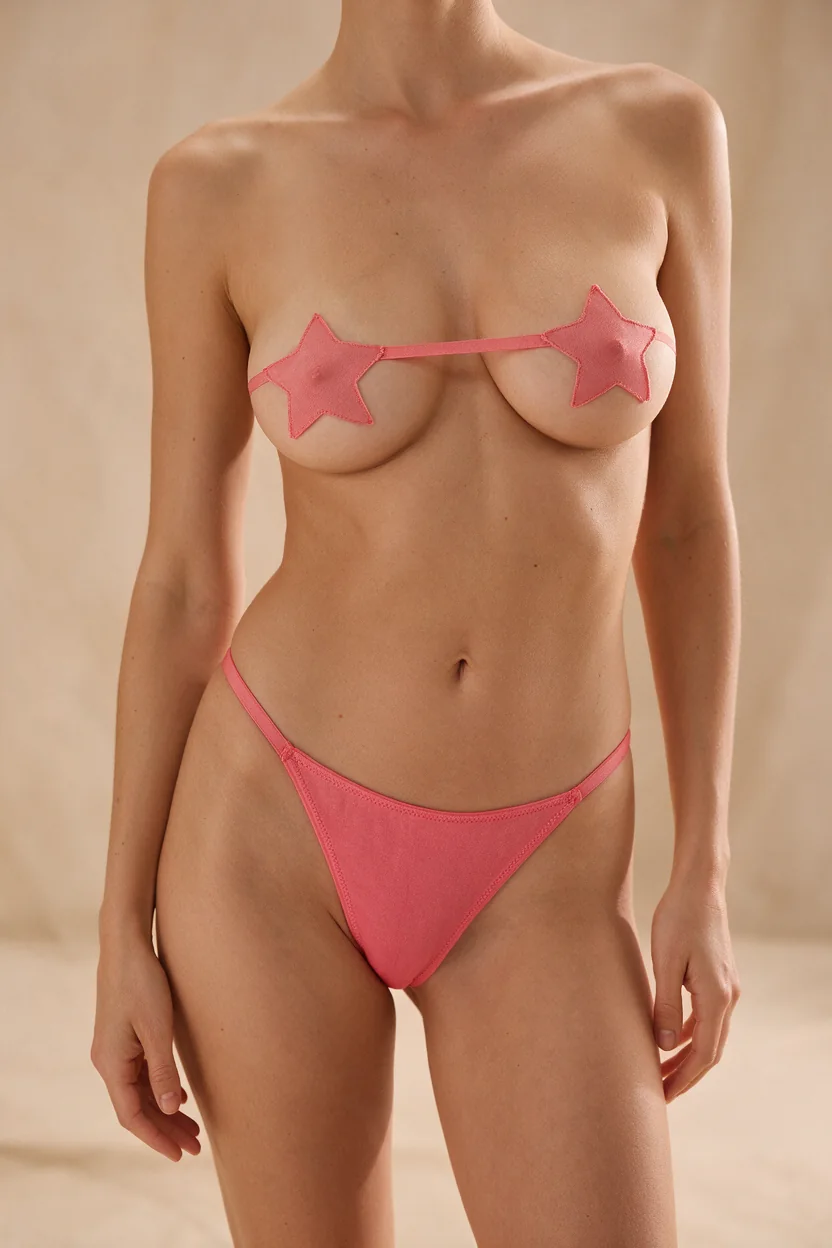
Pink micro bikini with star-shaped cups and matching bottoms

Pink star micro bikini

Star-shaped pink cups with a narrow connecting band and matching bottoms.

Bikini prompts for your photos and new AI models

For a photo edit, tell the AI which outfit to replace and which details to keep. For a new image, describe the adult model and the photograph you want to create. The examples below give you a starting point for each approach.

Build your prompt around these details

Person or source photo + bikini cut and fabric + pose or details to keep + setting and light

  • Give each image a role when you upload several: identify the person first, then the bikini or other outfit references.
  • Describe a visible detail rather than a general impression. A red ribbed halter top is more specific than a nicer swimsuit.
  • Refine one detail at a time, such as the neckline, print, or background, so you can see what changed.

Choose a prompt that matches your starting point

Black string bikini on your photo

Replace the clothing on the adult person in my photo with a black triangle string bikini and matching tie-side bottoms. Keep the same camera angle and framing, and preserve the face, hair, natural body shape, pose, and background. Match the original lighting.

Upload your photos first. Change the color or fabric in this prompt to explore another version of the same outfit.

Try a bikini from another image

Use the adult person in the first image and the bikini in the other reference images. Follow the swimsuit’s cut, colors, and print, and fit it naturally to the person. Keep the face, pose, and original setting consistent.

Add your person and bikini images under “Describe a bikini.” This prompt explains their roles when you want to give instructions alongside several references.

Red bikini beside the pool

A full-length fashion photo of an adult Asian woman wearing a red triangle bikini beside a pool. Relaxed standing pose, natural afternoon light, realistic skin texture, and crisp detail in the swimsuit fabric.

Start without uploaded photos. Change the model description, bikini color, or location to build a different summer scene.

Petite bikini model in a studio

An adult petite fashion model wearing a high-waisted bikini with a halter top. Full-length studio photograph, warm neutral background, soft side lighting, and clearly visible fabric seams.

Petite describes the model; full-length describes the framing. Using both helps express the proportions and the view of the outfit you want.

Hourglass swimwear concept

An adult model with an hourglass figure wearing an emerald bandeau bikini and matching high-waisted bottoms. Full-body standing pose on a resort terrace, soft afternoon light, and realistic swimwear texture.

Describe the model’s figure and the bikini’s waistline separately. This creates a new model image; use your own photos when the person in the picture matters.

Minimal micro bikini concept

An adult fashion model wearing an opaque chocolate-brown micro bikini with triangle cups and slim side ties. Full-length standing pose, plain studio backdrop, soft natural lighting, and clearly defined fabric edges.

The cut, fabric, and tie placement describe the swimsuit itself. Keep the backdrop simple when you want the design to be the focus.

Before you create your bikini photo

A few practical answers about free access, photos, and editing your results.

AI outfit changer

Explore dresses, workwear, and everyday outfits with your photos and clothing references.

Try other outfits

AI photo editor

Change a background, remove a distraction, or refine another part of your image.

Edit your photo

AI image generator

Create illustrations, product concepts, and other images from text and visual references.

Create from an idea

Try the bikini look you have in mind

Start with your photo for a try-on, or put a new swimwear scene into words.