Reference-image outfit swap
Upload a photo of the target look when pattern, silhouette or layering matters. A clean product image or a person wearing the outfit can both provide useful visual direction.
AI outfit changer for photos
Upload a photo, add an outfit image or describe the look you want, and preview an AI outfit swap in your browser. Free access is available without sign-up, while model availability and usage limits are shown before generation.
Real outfit swap examples
These examples show the task this page is built for: keep the person, pose, framing and setting recognizable while replacing the complete outfit. Inspect the fabric, edges, proportions and scene lighting instead of judging the clothing in isolation.
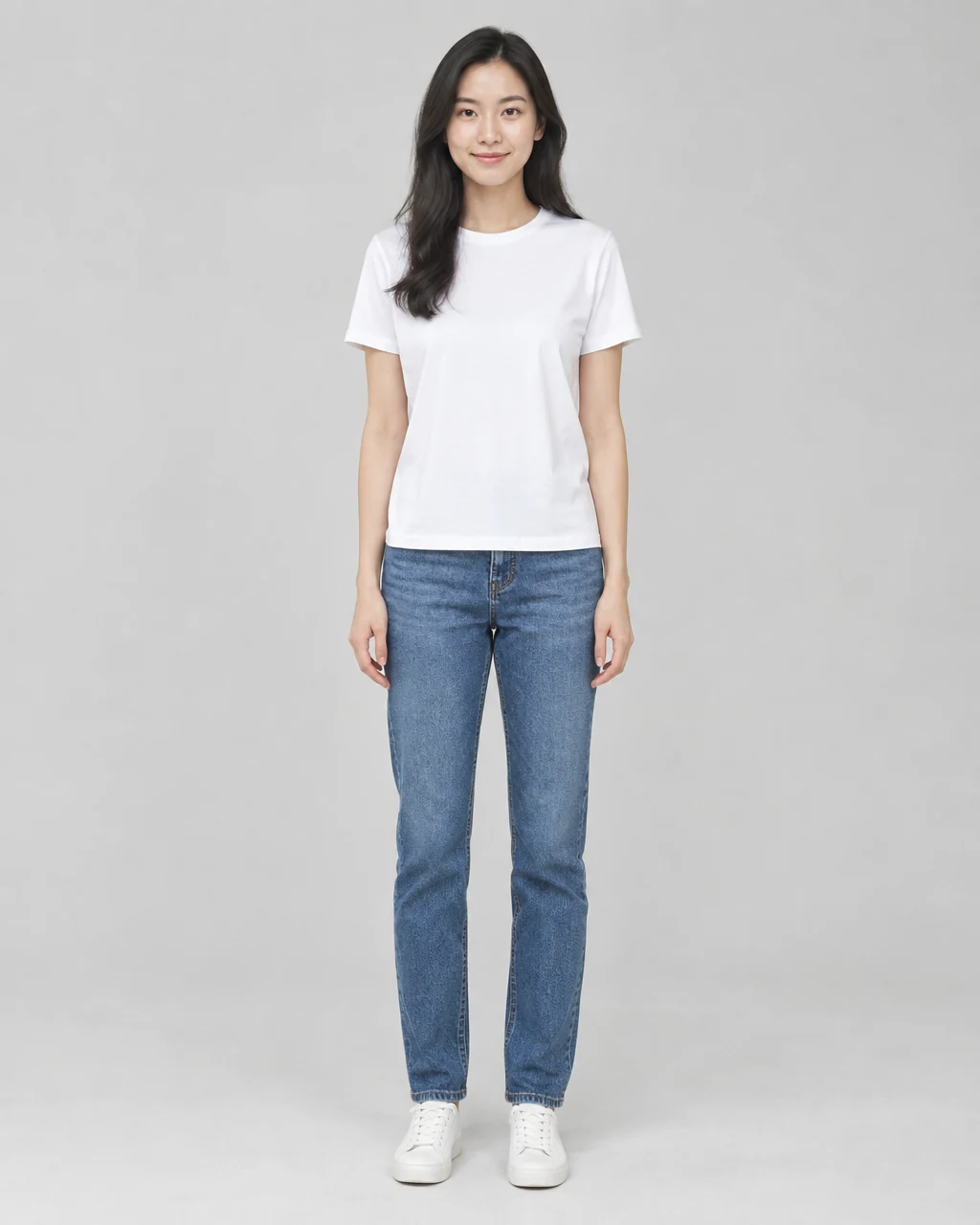
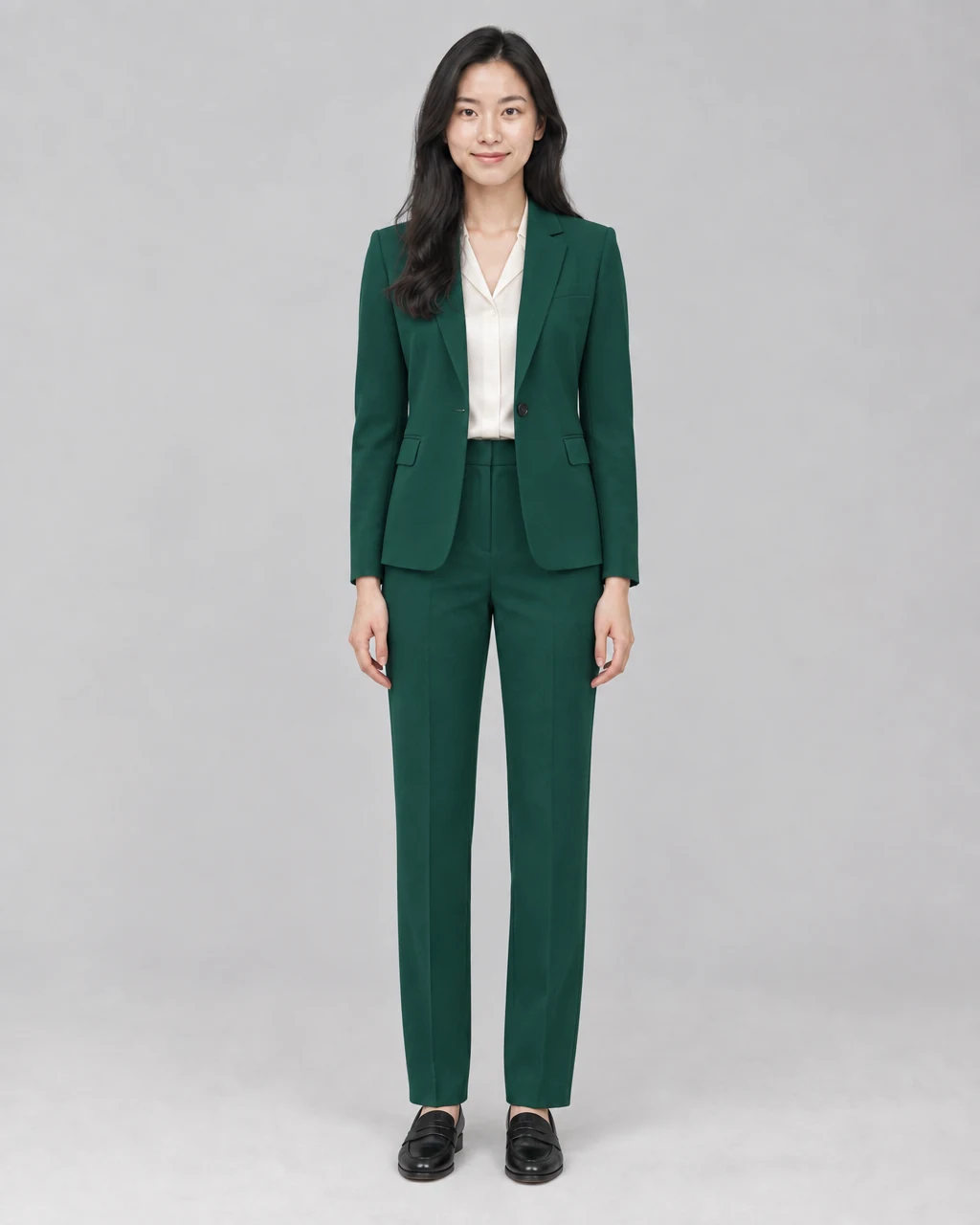
A simple studio portrait becomes a polished business look. The instruction identifies the garments and color while asking the model to preserve the person and the original scene.
Outfit instruction
Replace the casual outfit with a tailored emerald pantsuit, ivory blouse and black loafers. Keep the face, hair, body, pose, hands, background and lighting unchanged.
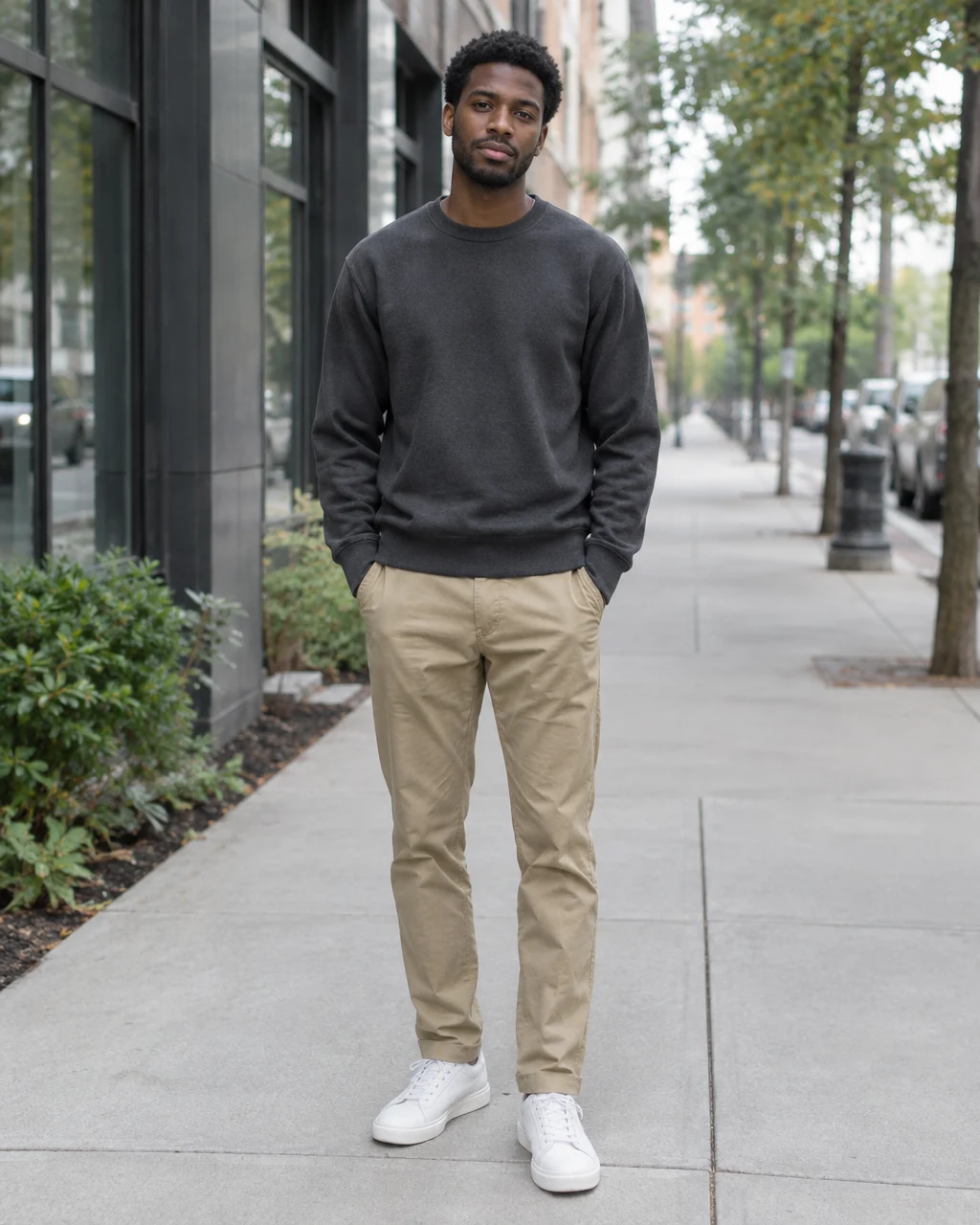
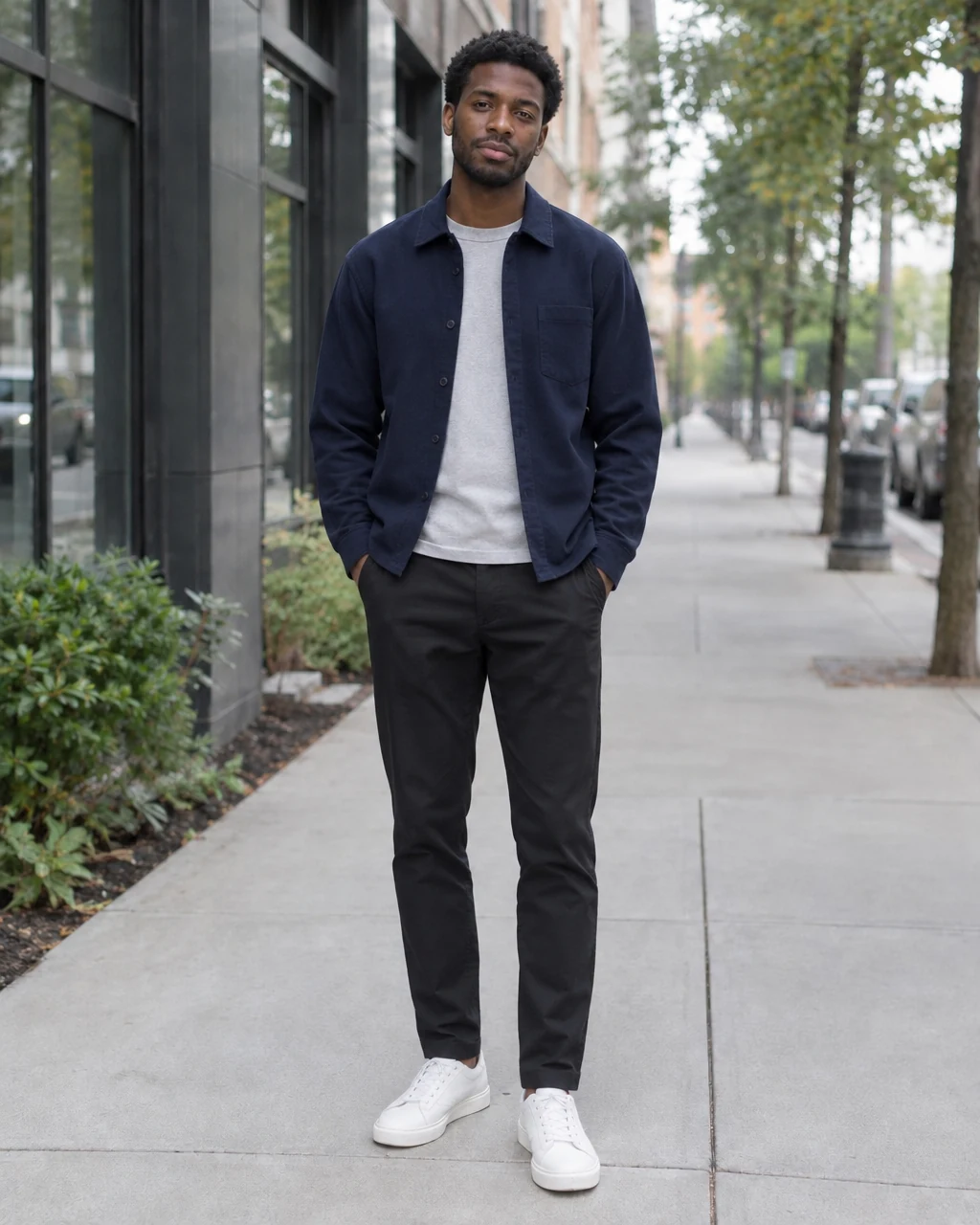
The outfit changes without rebuilding the sidewalk or changing the subject. Clear garment layers help the result retain believable folds and shadows.
Outfit instruction
Swap the outfit for a navy overshirt, light-gray T-shirt, black tapered trousers and white leather sneakers. Preserve identity, pose, camera and street lighting.
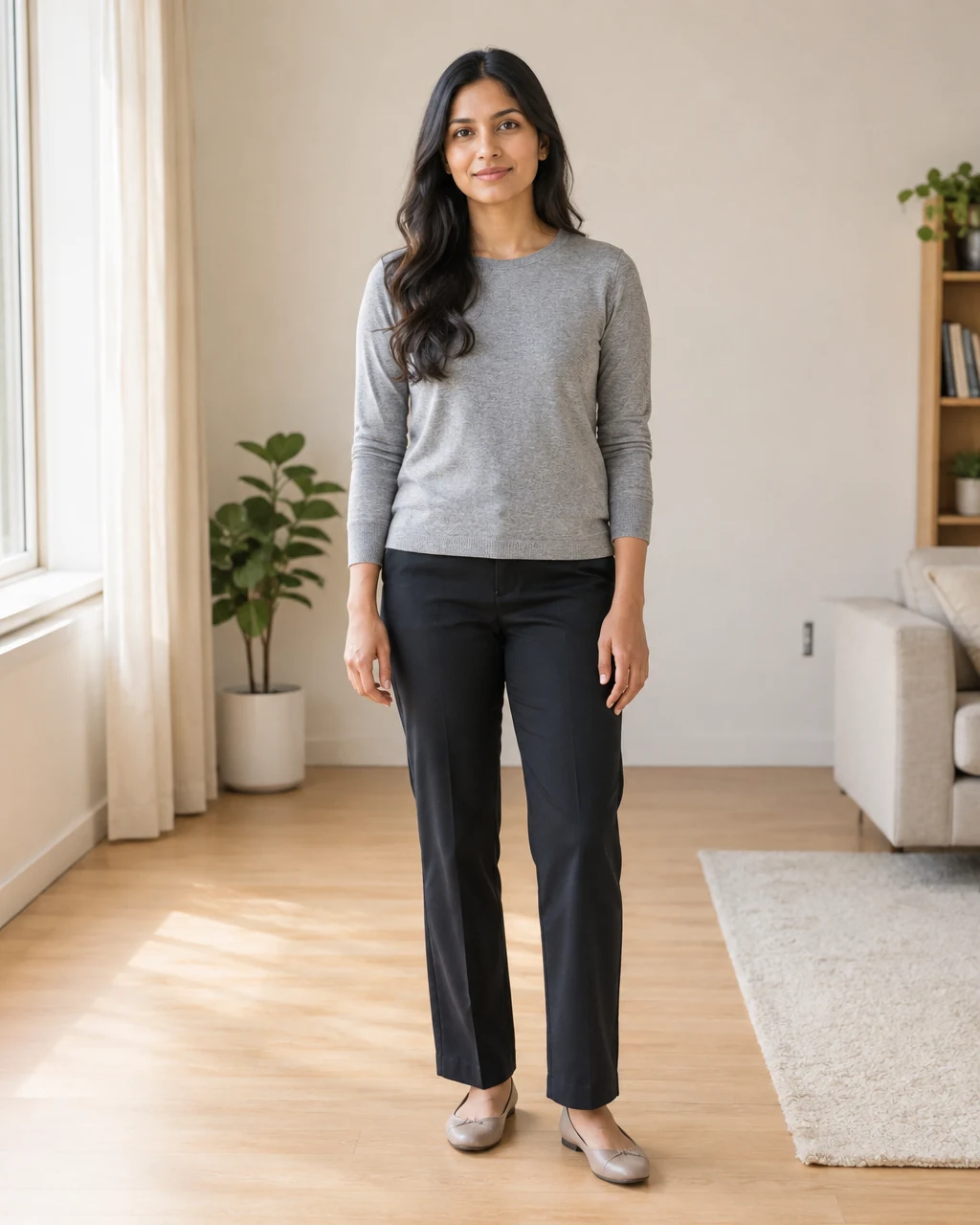
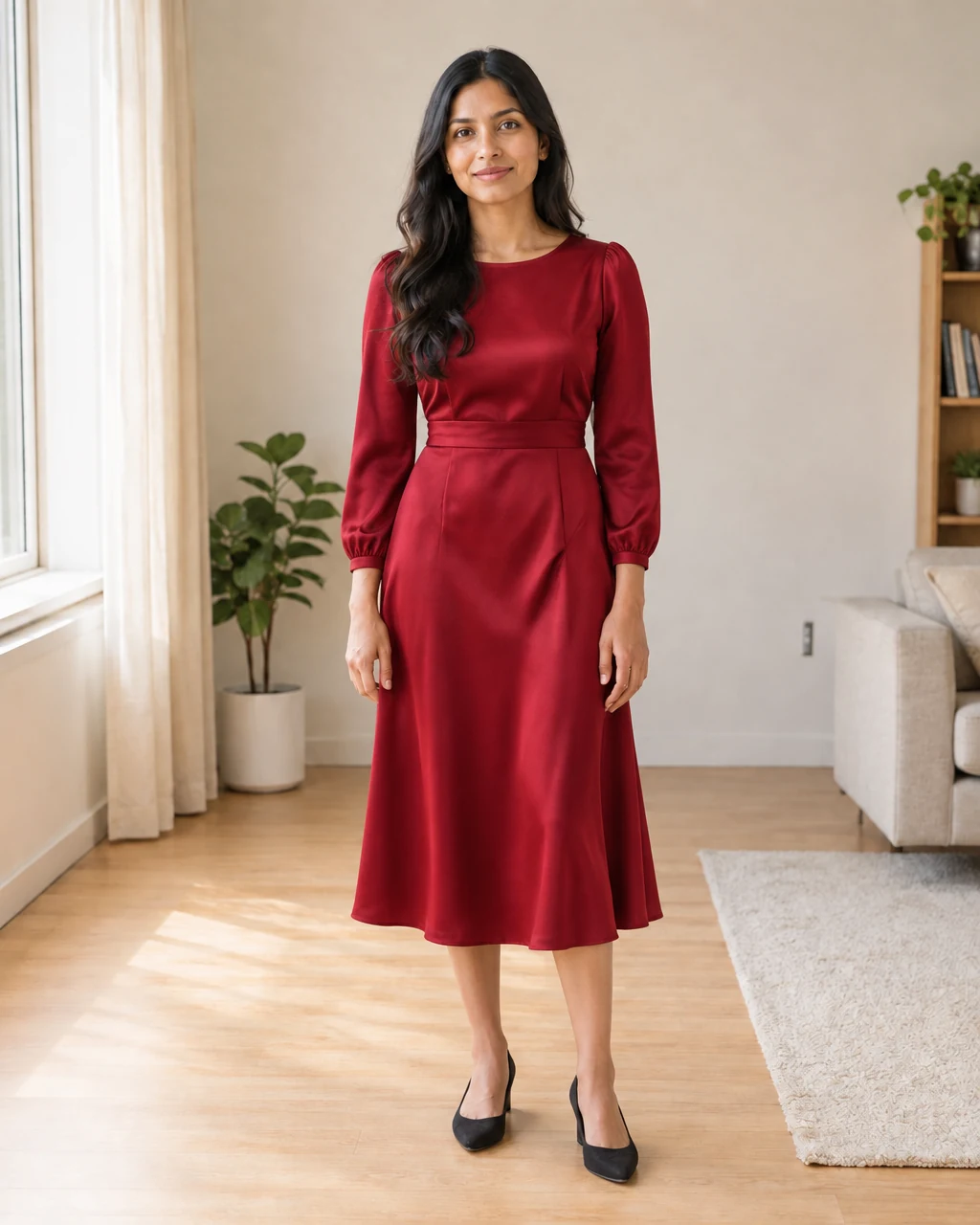
A complete outfit replacement can change the occasion while keeping the portrait useful. The prompt specifies length, material and fit rather than relying on a vague style label.
Outfit instruction
Change only the clothing to a ruby-red long-sleeve midi dress with a defined waist, subtle satin texture and dark heels. Keep every non-clothing detail unchanged.
Three-step workflow
The tool supports both visual references and written instructions. Choose the path that gives the model the clearest description of the final look you need.
Choose a portrait where the clothing area is visible. Full-body or three-quarter photos make it easier to evaluate garment length, fit and footwear.
Upload a reference image for a visual outfit swap, select a template, or describe the garments, colors, materials and occasion in a text prompt.
Select a model and supported settings, submit the request, then inspect the finished image. You can retry with a more specific prompt or use the result as a new source image.
More control over the change
An outfit swap is more reliable when the input matches the job. A reference photo communicates visual details quickly; a prompt is better when you need precise control over individual garments.
Upload a photo of the target look when pattern, silhouette or layering matters. A clean product image or a person wearing the outfit can both provide useful visual direction.
Describe the full look in plain language. Name the top, bottom, outer layer, shoes, color palette and material so the model does not have to guess what “formal” or “casual” means.
Use a ready-made outfit as a quick starting point when you want to explore styles without sourcing a separate reference image.
If the first result is close, keep the successful parts and ask for one targeted change, such as a longer hem, a different jacket color or simpler shoes.
Practical prompt guidance
A useful outfit prompt describes visible decisions. It also states what must remain unchanged, which reduces unwanted edits to the person or the scene.
Replace the outfit with a charcoal single-breasted suit, pale-blue shirt and brown leather shoes. Keep the face, pose and office background unchanged.
Swap the current clothes for a relaxed cream cardigan, white tank, wide-leg dark denim and minimal sneakers. Preserve the original lighting and body proportions.
Change only the outfit to a floor-length black evening gown with long sleeves and a matte fabric. Do not change the hair, jewelry, expression or room.
Built for practical photo edits
This page focuses on replacing the visible outfit in an existing image. It is useful when the photo, person and composition already work but the styling does not match the intended context.
Preview business attire on an existing portrait before deciding whether the look fits a resume, team page or professional profile.
Compare complete looks for a dinner, celebration or formal event without recreating the same portrait for every outfit idea.
Restyle a usable photo for a visual concept while retaining the recognizable subject, pose and environment.
Test unfamiliar colors, layers and silhouettes as visual inspiration. Treat the output as a preview rather than a guarantee of physical sizing or fit.
Better inputs, easier comparisons
The model has to understand both the person and the requested clothing. Source visibility and prompt precision usually matter more than adding more adjectives.
Heavy cropping, crossed arms and foreground objects can hide garment boundaries. Use a photo where the torso, waist and relevant limbs are visible.
A front-facing reference is easier to apply to a front-facing subject. Large pose or camera-angle differences require the model to invent more unseen structure.
Inspect hands, hair, garment edges, accessories, shadows and facial consistency. Retry with a narrower instruction if the model changes details outside the outfit.
Questions before you generate
Answers about free access, outfit swap inputs, prompts, virtual try-on expectations and photo requirements.
Free generation is available for eligible requests. The available model, resolution, output count, account status and current quota determine whether a request is free or uses credits; the interface checks this before submission.
You can start with the anonymous free path when it is available. If the selected request is outside the free allowance or requires credits, the interface will ask you to sign in before continuing.
Upload the person photo, then provide a target outfit image, choose a template or write a prompt. The selected model generates a new image that follows the clothing instruction while attempting to retain the original person and scene.
Yes. Use the outfit-image mode to add a visual reference. Choose a clear reference where the garments are easy to see, and avoid screenshots with large labels, overlays or unrelated people.
This tool creates a photo-based visual preview. It can help you explore styling, but it does not measure your body, predict exact garment sizing or guarantee how a physical item will fit.
Yes. Here, a clothes swap means replacing the visible outfit in a photo while keeping the person and scene recognizable. It does not refer to a physical clothing exchange, resale marketplace or sizing service.
Describe the garment pieces, colors, materials, fit and footwear. Then list the details that should stay unchanged, such as the face, hair, pose, hands, background and lighting.
The prompt can explicitly ask the model to preserve identity and pose, and a clear source image improves the chance of consistency. Generated edits can still vary, so inspect the result and retry with a more focused instruction when needed.
Yes. The page works in a modern mobile browser and supports photo upload, generation and result viewing. A stable connection helps when uploading large images and loading completed results.
Related image tools
Use the dedicated tool that matches the next task instead of forcing every edit into the same prompt.
Open the main clothing-change experience and browse its outfit templates and model options.
Open the main toolRemove objects, replace backgrounds and make broader prompt-based edits to an existing photo.
Edit a photoCreate a new image from text or use reference images for a more open-ended composition.
Generate an imageUpload a clear portrait, choose a reference outfit or describe the complete look, then compare the generated result with the original.